
Application for Web Thermometers:
Retrieving and displaying multiple measurements using PHP
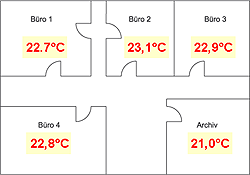
When using multiple Web-Thermometers at one location, it may be desirable to display the data from the individual units on the same Web page. This is a good application for PHP.
Using the following copy & paste example you can display the measurements from multiple devices (here two Web-Thermometers) on one Web page.
For this example you need a Web server with PHP interpreter.
You have already provided your Web-Thermometer(s)
- with power,
- connected it to your network,
- assigned it an IP address - which with WuTility is no problem.
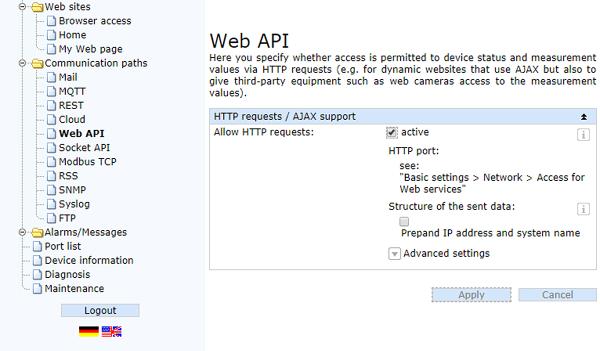
1. Enable Web-API
For the measurement values to be queried via HTTP, first the "Web-APIU" function must be turned on in the device configuration.
2. Incorporate PHP script into the Web page
- Copy the JavaScript (shown in blue)
e.g. into the <body> area of your Web page (PHP commands are interpreted at any desired location on the page). - Modify the red IP address, the green HTTP port and the yellow query command to your purposes.
								<html>
								<head>
									<title>Temperature</title>
								</head>
								<body bgcolor="#FFFFFF" text="#000000">
									<?php
									function getvalue($address,$sensorno)
										{
										$datei = fsockopen($address,80);
										$out = "GET /Single".$sensorno." HTTP/1.1\r\n\r\n";
										fwrite($datei, $out);
										while (!feof($datei))
											{
											$data = fgets($datei);
											}
										$find = "/r/n";
										$pos = strpos($data, $find);
										$value = substr($data,$pos);
										echo $value;
										fclose($datei);
										}
									?>
								<br>
									<?php
									getvalue ("192.168.0.2","1");
									?>
								<br>
									<?php
									getvalue ("192.168.0.3","1");
									?>
								</body>
								</html>
3. Output
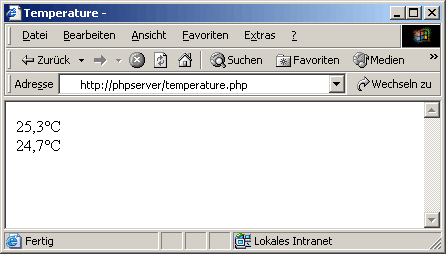
If you save the above PHO page on a PHP server and open it using a Web browser, you get the following view:
4. Automatic updating
- To update the page cyclically, insert the following line (shown in blue) into the <head> area of the page.
- The interval is given in seconds (shown here in red: 60 seconds)
							<html>
								<head>
									<title>Temperature</title>
									<meta http-equiv=refresh content=60>
								</head>
								<body bgcolor="#FFFFFF" text="#000000">
								...
5. Modify the page to your purposes
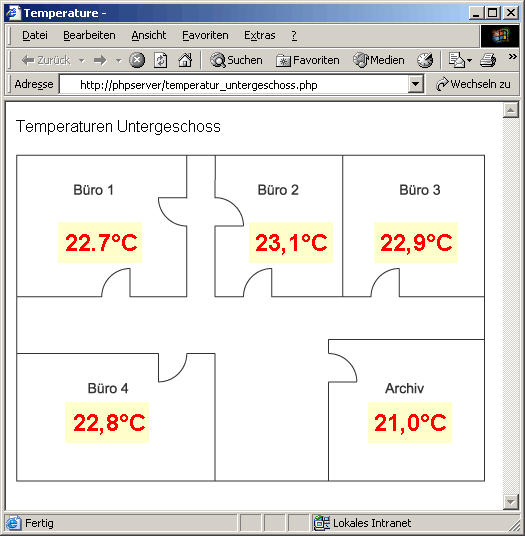
Using the above procedure you can simply create overview pages which can include any number of measurements:
No problem: We’ll send you the Web-Thermometer Pt100/Pt1000 at no charge for 30 days. Simply fill out the sample order form, and we’ll ship the Web-Thermometer for testing on an open invoice. If you return the unit within 30 days, we will credit the invoice in full.
To sample orders